Start with Your Budget, Room Size, and Noise Tolerance
A robot vacuum in an apartment is a different purchase than one in a two-story house. The floor plan is smaller, the walls are closer, and the neighbors are closer still. Before you scroll through suction ratings or lidar specs, take a hard look at three numbers: what you can spend, how many square feet you actually clean, and how much whirring you can tolerate while you work from home or watch TV.
Apartment layouts usually fall into one of two camps. The first is a mostly open studio or one-bedroom where the robot can roll from the kitchen into the living area without many obstacles. The second is a multi-room layout with a hallway, a bathroom step, and rugs that sit flush against the floor. These two situations need different navigation logic, and that difference matters more than a 1,000 Pa gap in suction.
Noise is the quiet factor that rarely shows up in spec sheets. A robot that runs at 70 dB while deep-cleaning might be fine when you are out, but it becomes annoying during a 7 p.m. video call. Some models let you cap the fan speed, which drops the volume but also reduces cleaning power. If you plan to run the robot while you sleep, check whether the model has a quiet mode that stays below 55 dB.
Budget is the final constraint, and it is the one that shapes everything else. A $200 robot can handle a bare-floor studio, but it will likely lack the mapping memory to skip a rug or avoid a pet bowl. A $700 model adds self-emptying and better mopping, but that money might be better spent on a cordless stick vacuum if your apartment is mostly hard floors and you do not mind ten minutes of manual work.
The Trade-Offs That Actually Change the Cleaning Bill
Every robot vacuum is a bundle of compromises, and the trade-offs are not the same in a small apartment as they are in a house. The first trade-off is suction versus noise. Higher suction usually means a louder motor, and in an apartment the walls are thin. If you have wall-to-wall carpet, you need the higher power. If you have mostly hardwood or tile, a mid-range suction of around 3,000 Pa is enough, and the quieter operation is a better daily experience.
The second trade-off is mapping sophistication versus setup effort. A robot with LiDAR or camera-based mapping can draw a floor plan, remember no-go zones, and clean in efficient rows. But that mapping often requires a first run to learn the layout, and some apps ask you to label rooms manually. A simpler robot with random or gyroscope navigation is cheaper and starts cleaning out of the box, but it may bump into the same chair leg three times and miss a corner entirely.
The third trade-off is mopping versus maintenance. A robot with a mop pad can handle the daily dust and light spills on hard floors, but the pad needs to be washed or replaced, and the water tank needs to be refilled. Some models lift the mop when they detect carpet, which is a useful feature but adds moving parts that can fail. If you do not want to think about a wet pad sitting in a dark bin, a vacuum-only model might be the lower-friction choice.
The final trade-off is self-emptying versus size. A self-emptying base station holds a dust bag and can go weeks without attention, but it takes up floor space and adds height. In a small apartment, that base station might not fit under a low console table. If you are willing to empty a small dustbin every few days, you can save money and floor space.
Three Retail Models That Fit Those Limits
Roborock Q5 Pro
The Roborock Q5 Pro is a strong fit for a one-bedroom with a mix of hard floors and low-pile rugs. It uses LiDAR navigation, which means it maps the apartment in a single run and then cleans in straight lines rather than bouncing around. The suction is rated at 5,500 Pa, which is plenty for most apartment debris, and the 4,700 mAh battery covers a typical small floor plan on one charge.
The mopping system is basic: it uses a vibration pad rather than a spinning mop, and it does not lift the pad when it crosses a rug. That means you should set a no-go zone around any area rug you want to keep dry. The dustbin is small, so you will empty it after every couple of runs, but the app gives you a clear indicator when it is full.
Editorial read: The Q5 Pro is the best balance of navigation and price for an apartment that does not need serious mopping. The LiDAR mapping is the feature that separates it from cheaper random-bounce models, and it makes the robot feel intentional rather than chaotic.
A limitation listed in official docs: The non-lifting mop pad is the weak point. If you have wall-to-wall carpet, this is not the model for you, because the wet pad will drag across the fibers. The app's no-go zones work, but they require you to set them up before the first mopping run.
Scenario verdict: Buy the Q5 Pro if you have a studio or one-bedroom with hard floors and a couple of low-pile rugs. Skip it if you have wall-to-wall carpet or if you want a robot that can mop and vacuum without you drawing zones.
iRobot Roomba Combo j5+
The Roomba Combo j5+ takes a different approach to navigation. Instead of lidar, it uses a front camera and an edge-sensing sensor to build a map. It also has a feature that detects and avoids pet waste, which is a genuine relief if you have a dog or a cat that occasionally has an accident. The suction is not published as a Pa number, but the dual rubber brushes are good at picking up hair without tangling.
The mopping system is the most interesting part. The j5+ has a retractable mop arm that lifts the pad when it detects carpet, so you do not need to draw no-go zones around rugs. The self-emptying base holds a bag that lasts about 60 days, which is convenient for an apartment where you do not want to touch a dirty bin.
The trade-off is the price. The j5+ is significantly more expensive than the Q5 Pro, and the camera-based navigation can be confused in a dark room. It also requires the iRobot app, which is functional but not as polished as some competitors.
Editorial read: The j5+ is the model for an apartment with a mix of rugs and hard floors, especially if you have pets. The retractable mop is a genuinely useful feature, and the self-emptying base removes the most annoying part of robot vacuum ownership.
A limitation listed in official docs: The camera navigation struggles in low light. If your apartment has dark hallways or you run the robot at night, it may pause or miss spots. The price is also hard to justify if you do not need the pet-waste avoidance.
Scenario verdict: Buy the j5+ if you have pets and a mix of floors. Skip it if you are on a tight budget or if you can manually separate vacuuming and mopping.
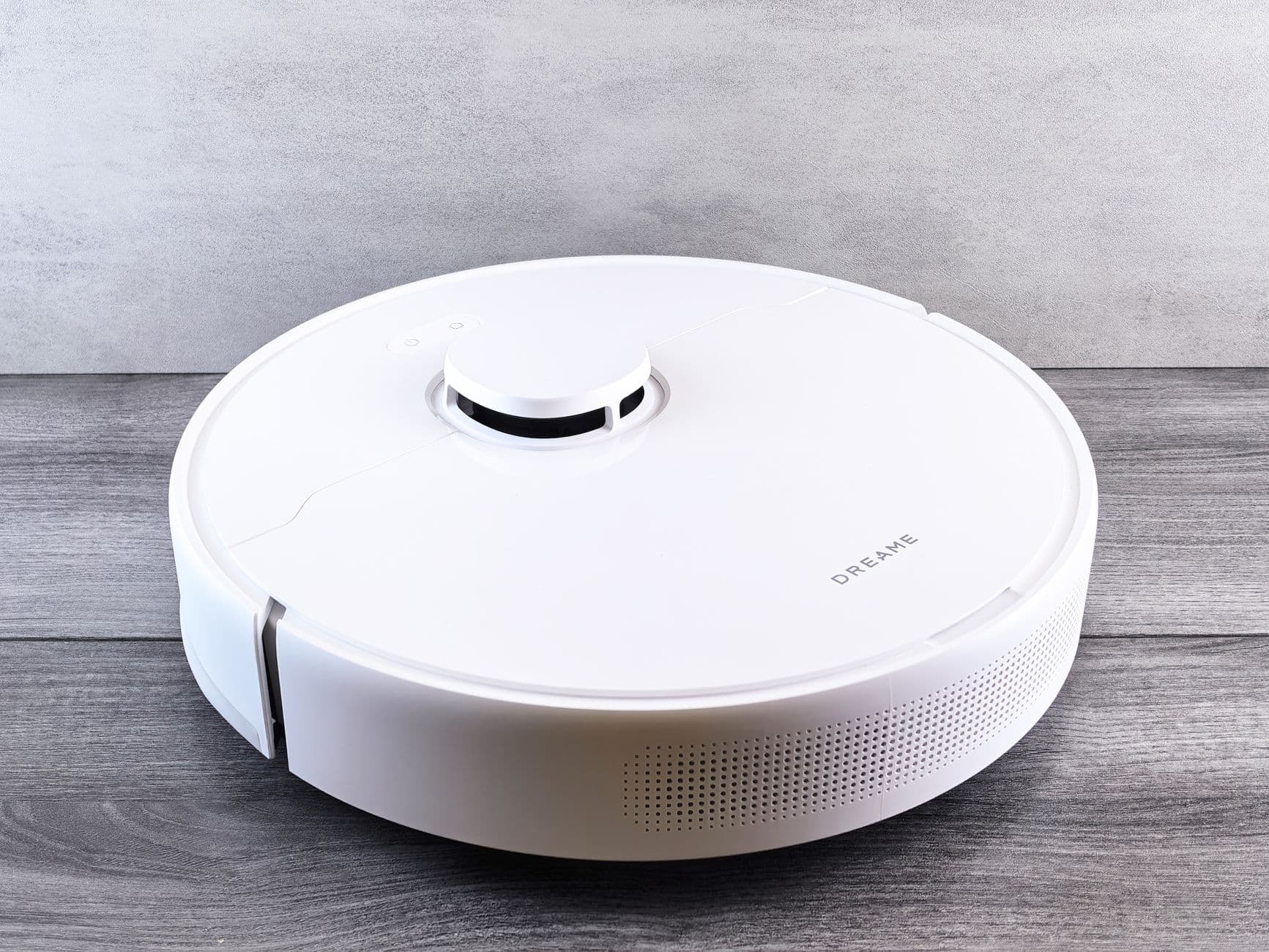
Dreame X40 Ultra
The Dreame X40 Ultra is the premium option in this comparison, and it is aimed at an apartment owner who wants a single device to handle everything. It has a high suction rating of 12,000 Pa, a spinning mop that lifts when it detects carpet, and a base station that washes and dries the mop pads. It also self-empties the dustbin and refills the water tank, so you can go weeks without touching it.
The navigation uses both LiDAR and a camera, which gives it a robust map even in low light. The app lets you set specific cleaning schedules for each room, and the object avoidance is good enough to steer around cables and shoe laces.
The downside is the size and the cost. The base station is large, and it needs a dedicated spot in your apartment. The price is also more than double the Q5 Pro, which is a hard pill to swallow if you only have a 400-square-foot space.
Editorial read: The X40 Ultra is the closest thing to a hands-off cleaning experience in an apartment. The self-washing mop is the standout feature, and it means you never have to touch a dirty pad. For someone who hates floor maintenance, this is the model that eliminates it.
A limitation listed in official docs: The base station is a space hog, and the price is steep for a small apartment. If you have a compact layout, the footprint might be a dealbreaker. The advanced features also require a willingness to configure the app thoroughly.
Scenario verdict: Buy the X40 Ultra if you want a fully automated cleaning system and have the floor space for the base station. Skip it if you are on a budget or if a simpler robot plus a manual mop is good enough.
Three-Year Cost, Not Launch-Day MSRP
The sticker price is only the beginning. Over three years, the cost of owning a robot vacuum includes replacement parts, cleaning supplies, and possibly a new battery. Here is a rough comparison of the total cost of ownership for the three models.
| Model | Launch price (USD) | Estimated 3-year parts & consumables | Estimated total 3-year cost | Key maintenance note |
|---|---|---|---|---|
| Roborock Q5 Pro | ₩397,487 (US $299.99) | $60–$100 (filters, side brushes, mop pads) | $360–$400 | Small dustbin needs frequent emptying; mop pad requires manual washing |
| i Robot Roomba Combo j 5+ | ₩794,987 (US $599.99) | $80–$120 (filters, brushes, bags, mop pads) | $680–$720 | Self-emptying bag lasts about 60 days; rubber brushes resist tangles |
| Dreame X40 Ultra | ₩1,589,987 (US $1199.99) | $120–$200 (filters, brushes, mop pads, cleaning solution) | $1,320–$1,400 | Self-washing mop reduces pad replacement; base station needs periodic cleaning |
Analysis takeaway: The Q5 Pro is the cheapest to own because the consumables are simple and inexpensive. The j5+ adds the cost of self-emptying bags, which are convenient but not free. The X40 Ultra has the highest upfront cost, but the self-washing mop means you replace pads less often, which narrows the gap slightly.
Total cost of ownership note: Over three years, the difference between the Q5 Pro and the X40 Ultra is roughly $1,000. That is a meaningful amount for an apartment dweller, and it should be weighed against the convenience of not touching a mop pad or dustbin.
- Capacity and power — match real use and the outlet/circuit you actually have.
- Upkeep cost — price filters, descaling, and parts over three years.
- Install and service — check footprint, plumbing, and a reachable service center before you buy.
FAQ
Do I need a robot vacuum with LiDAR for a small apartment?
LiDAR is helpful but not essential. In a small apartment, a robot with gyroscope navigation can still cover the floor, but it will be less efficient and may miss spots. LiDAR is worth the extra cost if you have multiple rooms, rugs, or furniture that you want the robot to avoid. If you have a simple open layout, a cheaper model can work fine.
How often do I need to empty the dustbin on an apartment robot vacuum?
It depends on the model and how much debris you have. A robot with a small 400 ml dustbin might need emptying after every one or two full cleaning cycles in a one-bedroom apartment. A self-emptying model with a base station can go weeks without attention. If you have pets, you will empty the bin more often.
Can a robot vacuum replace a regular vacuum in an apartment?
For daily maintenance, yes. A robot vacuum can keep hard floors and low-pile rugs clean with minimal effort. However, it is not a replacement for a cordless stick vacuum for deep cleaning, tight corners, or above-floor surfaces like sofas and shelves. Most apartment owners find a robot plus a small stick vacuum is the best combination.
Are robot vacuum mops safe for hardwood floors?
Yes, if you use the right settings. Most robot mops use a damp pad rather than a soaking wet one, which is safe for sealed hardwood. The risk comes from leaving the pad in one spot or using too much water. Look for a model with a water flow control, and always test on an inconspicuous area first.
How much noise does a robot vacuum make in an apartment?
Typical robot vacuums range from 55 dB in quiet mode to 70 dB at full power. In an apartment, 70 dB can be heard through walls, so it is best to run the robot when you are out or during the day. Some models let you schedule cleaning at a lower fan speed to reduce noise.
Buy / Wait / Skip
Buy the Roborock Q5 Pro if you have a studio or one-bedroom with mostly hard floors and a modest budget. The LiDAR navigation is the best value feature, and the suction is more than enough for apartment debris. Just be ready to empty the bin often and wash the mop pad manually.
Buy the iRobot Roomba Combo j5+ if you have pets or a mix of rugs and hard floors. The retractable mop is a genuinely useful feature, and the self-emptying base is convenient. The price is higher, but the pet-waste avoidance is worth it for many owners.
Wait if you are not sure whether you will use the mopping feature. If you only need vacuuming, a cheaper model like the Q5 Pro will save you money. Also, wait if you have a very compact apartment where the X40 Ultra's base station will not fit.
Skip the Dreame X40 Ultra if you are on a budget or have a small space. The premium price and large base station are hard to justify for a 400-square-foot apartment. It is a great device, but it is overkill for most apartment layouts.
Who should skip: If you have a mostly carpeted apartment, skip the Q5 Pro because of the non-lifting mop. If you are not comfortable configuring apps and no-go zones, skip the j5+ and consider a simpler model. If you have very limited floor space, skip the X40 Ultra because of the base station footprint.
Final verdict: For most apartment dwellers, the Roborock Q5 Pro offers the best balance of price, navigation, and cleaning power. The iRobot j5+ is the better choice for pet owners, and the Dreame X40 Ultra is for those who want maximum automation and have the space and budget to accommodate it.
Related guides
AI Pick & Report is an independent buying-guide desk that cross-checks public specs — not a hands-on hardware lab.
- Solo Apartment Summer Essentials Checklist: Fan, Purifier, Fryer, Earbuds, and Robot Vacuum — Case-study checklist for one-person summer apartments — nine cross-category checks across…
- Heatwave Blackout Home Readiness Checklist for Apartments and Families — A practical apartment checklist for outage alerts, safe cooling, backup power, food, wate…
- Sub-$300 Phones: Chipset Tier and Update Years Matter More Than Ads — Five sub-$300 smartphones compared by SoC, battery, display, 5G bands, and OS update poli…
- Family Home Essentials: Five Scenarios for 3–5 Person Households From Fridge Capacity to Floor Care — Family picks for 3–5 person homes — fridge capacity, washer throughput, shared TV, room a…
- Pool, Picnic, Park: How IP Rating and Watts Pick Your Summer Bluetooth Speaker — Five portable Bluetooth speakers compared for summer outdoors—IP rating, battery, loudnes…
Who should buy
Buy this if your real-world use matches the scenarios in this report.
-
Solo Apartment Summer Essentials Checklist: Fan, Purifier, Fryer, Earbuds, and Robot Vacuum — Case-study checklist for one-person summer apartments — nine cross-category checks across…
-
Heatwave Blackout Home Readiness Checklist for Apartments and Families — A practical apartment checklist for outage alerts, safe cooling, backup power, food, wate…
-
Portable SSD Specs Decoded: USB Speed Tiers, TBW, and Summer Backup Workflows — USB Gen tiers, TBW endurance, and backup workflows for vacation photos, dorm moves, and s…
-
Sub-$300 Phones: Chipset Tier and Update Years Matter More Than Ads — Five sub-$300 smartphones compared by SoC, battery, display, 5G bands, and OS update poli…
-
Samsung Galaxy Z Fold6 Deep-Dive: Unfolding a New Era of Mobile Productivity — Our editorial team puts the Samsung Galaxy Z Fold6 through real-world testing, comparing…
-
Solo Apartment Summer Essentials Checklist: Fan, Purifier, Fryer, Earbuds, and Robot Vacuum — Case-study checklist for one-person summer apartments — nine cross-category checks across…
-
Heatwave Blackout Home Readiness Checklist for Apartments and Families — A practical apartment checklist for outage alerts, safe cooling, backup power, food, wate…
-
Portable SSD Specs Decoded: USB Speed Tiers, TBW, and Summer Backup Workflows — USB Gen tiers, TBW endurance, and backup workflows for vacation photos, dorm moves, and s…
-
Sub-$300 Phones: Chipset Tier and Update Years Matter More Than Ads — Five sub-$300 smartphones compared by SoC, battery, display, 5G bands, and OS update poli…
-
Samsung Galaxy Z Fold6 Deep-Dive: Unfolding a New Era of Mobile Productivity — Our editorial team puts the Samsung Galaxy Z Fold6 through real-world testing, comparing…
Final Verdict
Buy / wait / skip: decide from the specs and scenarios in this report, not from a marketing slogan.
Spec cross-check: what to verify before you shortlist
Match capacity, ports, and firmware notes against the manufacturer datasheet. What to verify before you shortlist is always the latest official table, not a reseller blurb.
Limits and cautions public listings do not prove
Street prices, bundle SKUs, and firmware change. Limits the official pages still own the decision.
Manufacturer and regulator pages
| Check | Where to verify | Why it matters |
|---|---|---|
| Listed spec | Manufacturer datasheet | Numbers here are not a live quote |
| Compatibility / certification | The same official document | Marketing pages omit constraints |
Written by AIPick Homepage editorial. Publisher: AIPick Homepage. Contact: /contact